



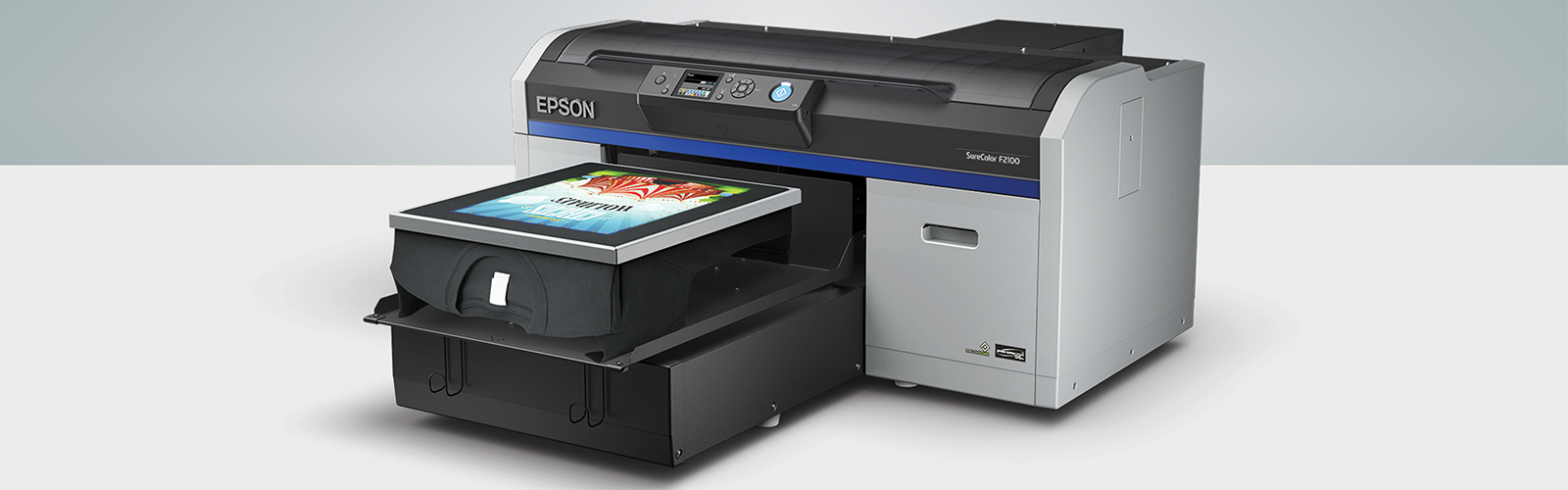
Direct-to-Garment Printing Tips for Consistent Results
Published by
Chris Coen
on
Direct-to-garment printing looks simple until a shirt comes off the platen with a faded image, a stiff patch of dried pretreat, or ink that never fully cured. Most of those problems trace back to one of four variables: the shirt itself, pretreatment, the print file, and curing, rather than the printer. This guide walks through what actually affects DTG print quality at each stage and where shops most often lose consistency. Grimco is a nationally authorized dealer of Epson DTG printers and a distributor of Lawson pretreatment equipment, giving apparel decorators access to the equipment needed to keep those variables under control.
Best Results for 100% Ring-Spun Cotton and Blended Fabrics
Epson's SureColor F2270 and F3070 DTG printers are built to handle a range of shirt types, but 100% ring-spun cotton remains the easiest fabric to get consistent results from. A cheaper shirt with a rough, inconsistent weave doesn't give ink a stable surface to bond to, and it shows up in the final print as uneven color or a dull finish. Blended fabrics add another variable: multiple fiber types absorb ink differently from each other, which can make color matching and saturation harder to control across a production run. Shops that print a lot of blends generally see the most consistent results by testing a new fabric blend in a small batch before committing to a full order.
Pretreatment and Curing Considerations for Dark Garments
Pretreatment matters most on dark garments, where the printer lays down a base layer of white ink before printing color on top. Without pretreat, that white layer soaks unevenly into the fabric instead of sitting on the surface, which is what causes washed-out color and the discolored patches shops sometimes run into. Light and white garments printed without a white ink base typically don't need pretreatment at all. Applying pretreat by hand with a roller or spray bottle tends to produce uneven coverage; a dedicated sprayer like the Lawson Zoom-AE or Silver-Jet V2 applies it consistently across every shirt, which matters more as order volume goes up. Pretreat solution, like Epson's pretreatment fluid, is often diluted with distilled water on site, and the right ratio depends on both the solution and the garment, so it's worth testing before running a full batch.
File and Print Quality Variables in Direct-to-Garment Artwork
Print file quality has as much impact on the final result as the equipment does. High-resolution vector files give the printer clean edges and consistent color fills to work from, especially on designs with fine detail or small text. DTG's real advantage over screen printing and heat transfer shows up most on photo-realistic images and gradients, since the printer can lay down continuous tone instead of relying on halftone dots or spot colors. A well-prepared, professional file is one of the more overlooked ways to improve final print quality without changing anything about the pretreat or curing process.
Curing Technique for Fully-Set, Durable Prints
Curing is the step that locks the ink into the fabric, and getting it wrong undoes everything done right earlier in the process. Most shops rely on a heat press for curing. For shops running higher volumes, a tunnel dryer is a faster, hands-free alternative worth considering. One trick for heat press users is to "hover" the press over your freshly printed garment and help the ink dry before the parchment paper touches it, then apply the paper and lower the press. Pressure is not important, but the temperature is. Too much heat can scorch the shirt and too little can leave the ink not fully dried.
Frequently Asked Questions (FAQs)
What fabric works best for direct-to-garment printing?
100% ring-spun cotton works best for direct-to-garment printing because its tight, consistent fiber structure gives ink a stable surface to bond to. Blended fabrics can still be printed successfully, but different fiber types absorb ink at different rates, so testing a small batch first helps avoid inconsistent color across a production run.
Do I need to pretreat every shirt before DTG printing?
Pretreatment is not required on every shirt printed with direct-to-garment technology. Dark garments need it to keep the white ink base from soaking unevenly into the fabric, while light and white garments printed without a white underlayer typically don't need it at all.
What causes uneven color or a discolored patch on a DTG print?
Uneven color or a discolored patch on a DTG print usually comes from inconsistent pretreatment application. Applying pretreat by hand with a roller or spray bottle tends to leave uneven coverage, which is why shops running higher volumes typically move to a machine sprayer for consistent results.
Why does a DTG print fail to hold up after washing?
A DTG print that fails to hold up after washing usually wasn't fully cured. Temperature is the more important variable during curing, since too little heat leaves ink that hasn't properly set, while too much heat risks scorching the garment.